帖子
- Ddd2026-07-22
- Coeeshu2026-07-22
找了一下解决方案 佬可以试一下
主要是因为cowork后台有个linux虚拟机 一直心跳保活 关了虚拟机试一试
到claude_desktop_config.json
修改:```
{
"preferences": {
"secureVmFeaturesEnabled": false
}
}
```来源:github.com/anthropics/claude-code
Claude Desktop agent mode creates hundreds of junk sessions via scheduled task heartbeat
已打开 08:12PM - 04 Apr 26 UTC
已关闭 09:30AM - 08 Apr 26 UTC

CyPack
duplicate
Description
Claude Desktop's "Local Agent Mode" spawns a Claude Code CLI pro…cess that creates new sessions every ~15 minutes with periodic heartbeat messages. Over time, this produces hundreds of junk sessions that pollute the session list and waste disk space.
Reproduction
1. Open Claude Desktop (Linux, v1.1.7714)
2. Use Agent Mode (the CC CLI process spawned with--allowedTools mcp__computer-use)
3. Leave it running for several hours
4. Check session list withclaude-sessions listObserved Behavior
- Every ~15 minutes, a new session is created with content like:```
## Current Time
Saturday 14:00 (weekend)## Detected Signals
- [INFO] No Recent Activity: No user activity for 4 day(s)## Memory Stats
Total: 0 | Recent: 0 | Avg importance: 0.00## User Activity
No activity for 4 day(s).
``- Sessions are created withentrypoint: "sdk-cli"anduserType: "external"`
- Each session is a separate.jsonlfile in~/.claude/projects/
- After a few days: 443 junk sessions out of 536 total (83% of all sessions)
- Total disk: ~2.9 MB of junk session filesExpected Behavior
The agent mode scheduled task system should either:
1. Not create new sessions for heartbeat/signal checks when there's no user activity
2. Reuse the same session for periodic checks instead of spawning new ones
3. Have a configurable maximum for signal session creation
4. Auto-cleanup old signal sessionsProcess Details
The offending CC CLI process:```
/home/user/.config/Claude/claude-code/2.1.87/claude \
--output-format stream-json --verbose \
--input-format stream-json \
--model claude-opus-4-6 \
--permission-prompt-tool stdio \
--resume <session-id> \
--allowedTools mcp__computer-use \
--permission-mode default \
--allow-dangerously-skip-permissions \
--include-partial-messages
```Parent process: Claude Desktop Electron app.Impact
- Session list unusable — real sessions buried under hundreds of junk entries
- Disk accumulation — ~2.9 MB for 443 sessions, grows indefinitely
- Memory/swap — the long-running CC process (12+ hours) accumulated 110 MB swap
- No auto-cleanup — sessions persist forever unless manually deleted
Workaround
Kill the agent mode CC process and delete junk sessions:```bash
# Find and kill the agent mode CC process
ps aux | grep "claude.--allowedTools.computer-use" | grep -v grep | awk '{print $2}' | xargs kill# Delete junk sessions
find ~/.claude/projects/ -name "*.jsonl" -exec sh -c 'head -3 "$1" | grep -q "Current Time" && rm "$1"' _ {} \;
```## Environment- Claude Desktop: v1.1.7714 (Electron, Linux/Fedora 43)
- Claude Code CLI: v2.1.87 (bundled with Desktop)
- OS: Fedora 43 (Linux 6.19.8)
- The
scheduleskill is enabled in the agent mode skills plugin manifest
- Ddd2026-07-22
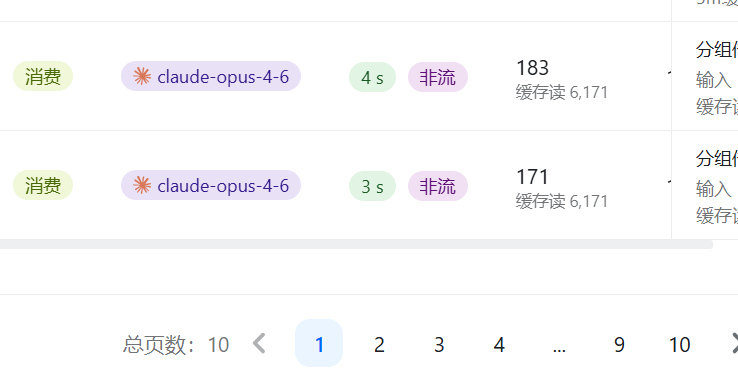
不行,试了,这个是关cowork功能关虚拟机,那个非流请求好像测活+查上下文窗口用的,很烦,比我正常对话花的都多
- PEScn2026-07-22
是中转站吧……
很多实现不规范和偷懒的中转方案,会不实现
/v1/messages/count_tokens这个接口,然后就会有单独发送一个count_token内容给/v1/messages获取上下文长度的行为,这个没啥办法 - pew2026-07-22
感觉它特别慢,已经不用了.不如zcode